Git Clone is Now Available 🚀
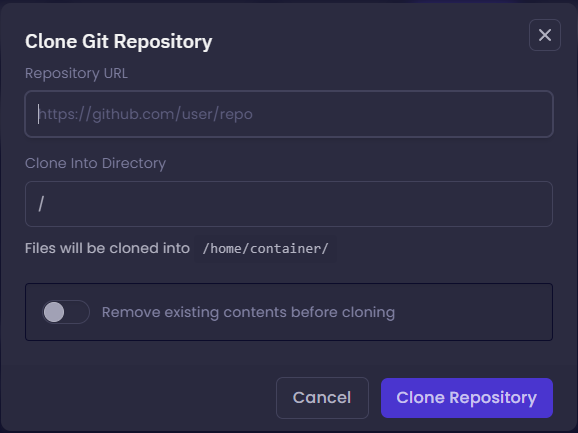
We've officially added Git Clone to the WarNodes File Manager.
You can now clone repositories from GitHub and GitLab directly into your server without using SSH or the console.
Features
Clone public and private repositories
GitHub & GitLab support
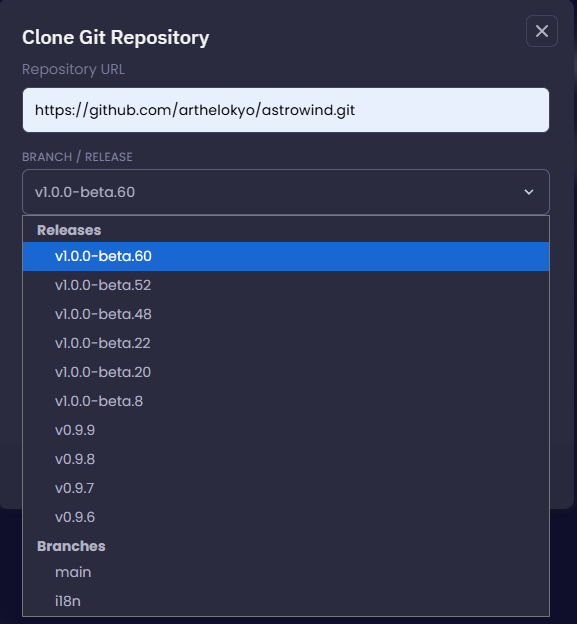
Branch and Release selection
Automatically detects the latest release
Clone into any directory
Option to clear the destination folder before cloning
Works even when your server is offline
No SSH access required
Fast and seamless integration with the WarNodes File Manager
How to Use
Open your server.
Navigate to File Manager.
Click Git Clone next to Upload.
Paste your GitHub or GitLab repository URL.
Select your preferred branch or release.
(Optional) Enter a Personal Access Token for private repositories.
Click Clone Repository.
Your Personal Access Token is used only during the cloning process and is never stored by WarNodes.
Happy Deploying! 🚀
🛠️ Built with ❤️ by Team WarNodes
⚡ WarNodes — India's Smoothest Hosting Experience ⚡